Start with the whole figure
Compare the pose and outline against your original, and be pedantic about it. Count the limbs. Check the angle of the head. Follow the edge of anything the figure's holding. A changed hand or a merged accessory may be easy to miss when you first notice the scene.
Look at the base too. Decide whether any change to its appearance still makes sense to you. Do not accept a result solely because it feels more dramatic than the source.
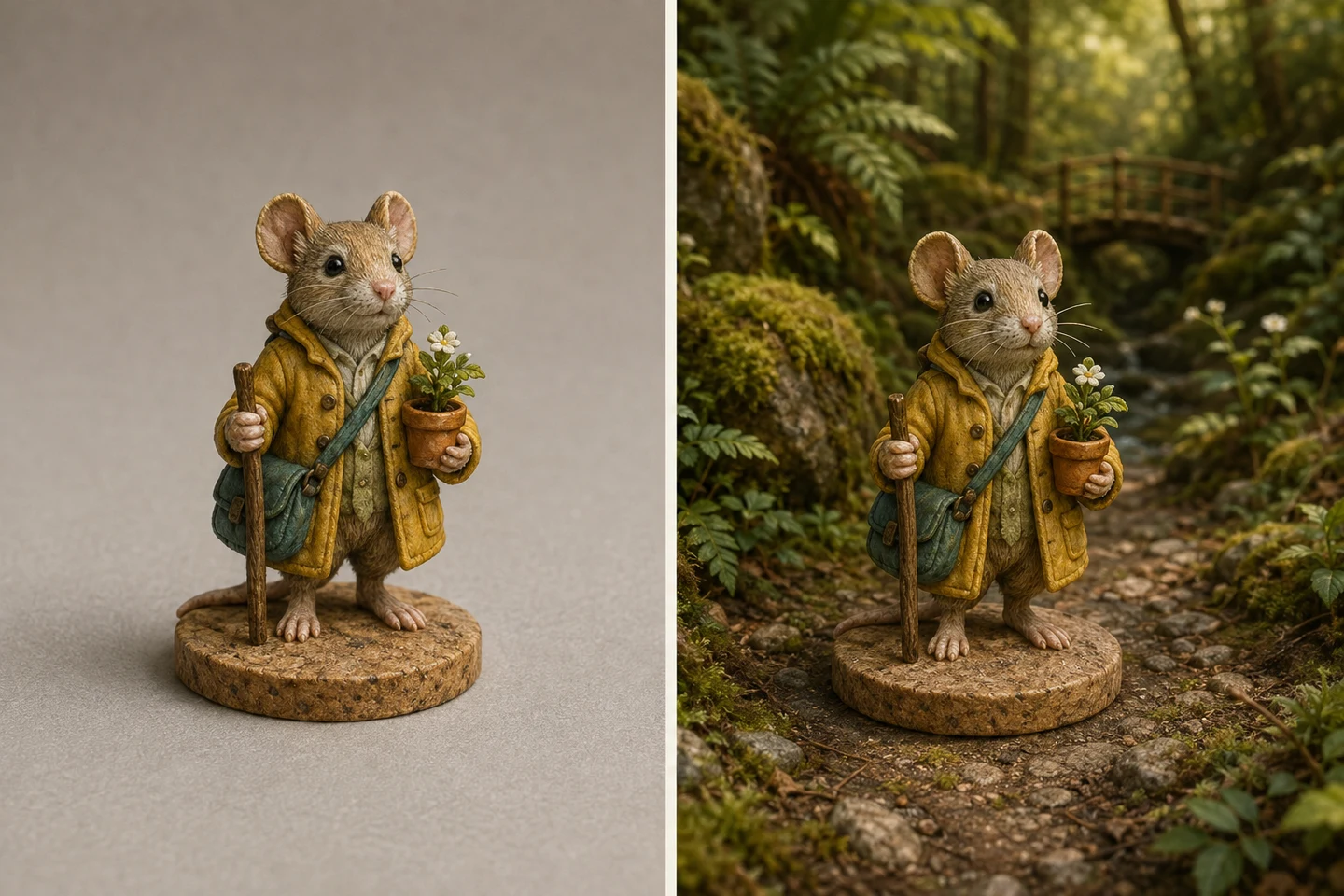
Check the work that makes it yours
Pick three details you would use to recognise this piece: perhaps a small painted pattern, a weathered edge and a particular colour combination. Compare each one. Has a fine line turned into a different symbol? Has a colour spread onto an area you left plain? Does the face still have the same expression?
The scene is meant to keep your paintwork intact. That's the aim rather than a guarantee of identical pixels, and it's worth knowing the difference before you order. If exact reproduction is the priority, use the original through direct printing.
Look for joins and invented detail
- Trace the subject against the background for doubled edges or missing parts.
- Check hands and equipment for objects that merge together.
- Inspect any lettering or markings rather than assuming they remain readable.
- Check the ground contact and shadows for a figure that seems to float.
- Reject added logos or recognisable third-party imagery you cannot confirm permission to reproduce.
Compare at the size you will use
View the whole composition small as well as examining details. On a mug or bottle, the figure should be recognisable without studying it. On a larger poster, a distracting background detail will be more visible. Leave enough room around the subject for the product crop; a perfect face is little help if the chosen shape cuts off the rest.
Choose a result deliberately
Each successful AI preview appears as a separate watermarked image. You can generate up to three per verified client per day, then choose the result you want to continue with. Check which one is selected before picking a product. The newest result is not automatically the best one.
If none meets your standard, do not order it. Keep your original, return another day or leave the project there. The upload-to-product guide explains both routes, and the format guide helps with the next decision.